So, I have had problems getting RollerCoaster Tycoon: Deluxe to work on Zorin for quite a while. In this article I show the findings in this process and how I got the game to work for me.
- Game version: RollerCoaster Tycoon: Deluxe (on Steam)
- Operating system: Zorin OS 18.0 (linux)
- Proton version: Proton Hotfix / Proton Experimental
Steam / Proton
1. Game start problem
When running the game on Steam, it had difficulty starting up. When I clicked to run it after installing, it often just flashed on the screen and then showed as “running” but the game wasn’t anywhere to be seen. Sometimes, but rarely, it opened the game window.
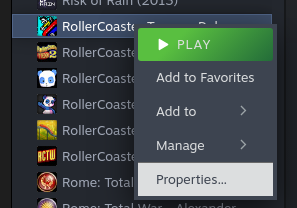
The Fix:
1. Go to Steam library
2. Right-click RollerCoaster Tycoon: Deluxe in your library
3. Select “Properties” then “Compatibility”
4. Select “Force the use of a specific Steam Play compatibility tool”
5. Select “Proton Hotfix” or “Proton Experimental”
6. If it still doesn’t work, sometimes restarting Steam also helps.
2. Saving problem
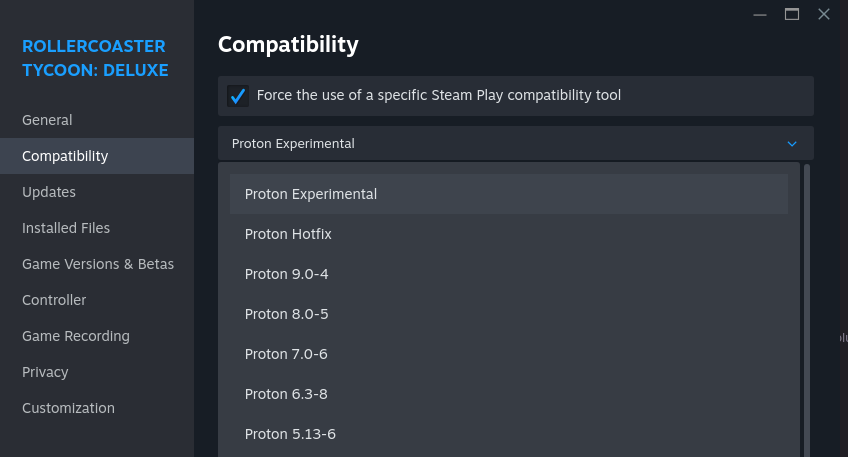
Previously the game’s save system did not work on Proton either. I checked that this problem was still present in Proton version 9.0-4. But now it seems to be fixable with that same “Proton Hotfix” or “Proton Experimental” compatibility setting.
You can find more info about this problem in this Steam discussion:
https://steamcommunity.com/app/285310/discussions/0/595153475652850174/
3. Game resolution
RCT’s aspect ratio is 4:3 and resolution 640×480 by default (old year 2000 standard).
The best resolution I could find at this point is to first go through the game settings:
1. Start the game
2. Start a scenario or load the save
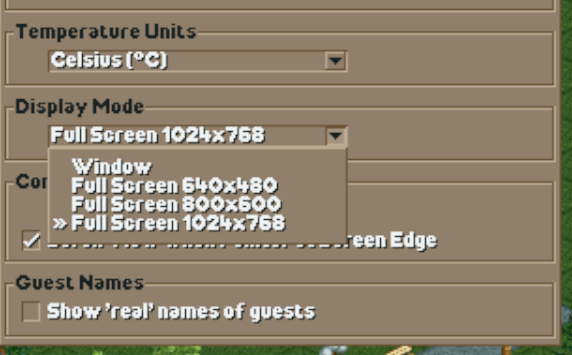
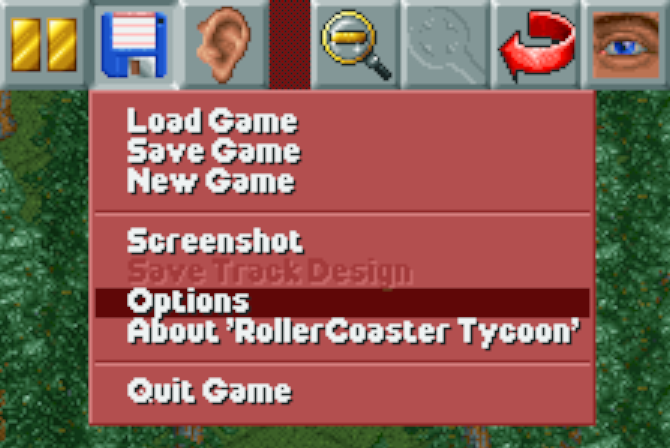
3. From the “Save” menu select “Options”
4. Then under “Display Mode” select “1024×768”
Then, if you want an “wide screen” experience, change your actual screen resolution to that same 1024×768 when you play. Unfornately this stretches to fit and distorts the aspect ratio. But in the windowed mode resolutions stays at 640×480 and can’t be changed. So, no perfect solution here.
For my new streams and videos I would use fullscreen with the black bars, just because it’s the most nostalgic option out of these.
Conclusion
When I played this on Windows, there were more options but those same options seem not to be working with this setup. Also at least now the internet seemed to have more “mods” for this that didn’t look real and were shady at best. So I am not recommending that path for this time.