The Sims 2: Setting up the SimCity neighborhood #0.4 (Remastered)
📅 When: July 18th, 2026
🕘 Time: 16:00–19:00 UTC (see your timezone below)
📍 Where: Twitch.tv/katwizar
🎟️ Cost: Free + no algorithm tracking you 👻
This is where it all begins! We’ll be setting up the SimCity neighborhood from scratch, placing families, setting up mods, crafting backstories, and laying the foundation for everything that comes next. If you’ve ever wondered how I set up a custom neighborhood before the gameplay actually starts, this is the behind-the-scenes episode you’ve been waiting for.
Note for returning viewers: Long-time followers may recognize this episode. I’ve completely remade it from the ground up with more detail, deeper lore, and better setup. New viewers won’t miss out, returning viewers get the upgraded cut.
🌍 Pick Your Timezone
→ Europe: 18:00–21:00 CEST
→ UK: 17:00–20:00 BST
→ US East: 12:00–15:00 EDT
→ US West: 09:00–12:00 PDT
→ Elsewhere: Convert UTC to your location
🔔 Set Your Reminder!
Twitch reminder button → Go to channel
Never miss an upload (pick your poison):
→ RSS feed, no tracking, no algorithm, pure content delivery
→ Email newsletter, get new posts delivered to your inbox
Both are free. Both respect your privacy. No Big Tech required. 🎁👻
What to Expect:
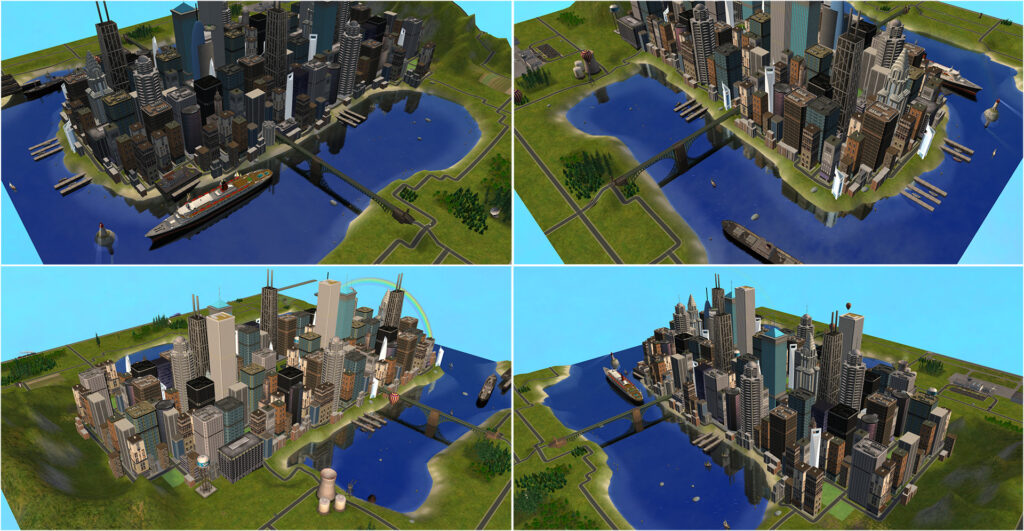
🏙️ Neighborhood Foundation & Skyline Setup
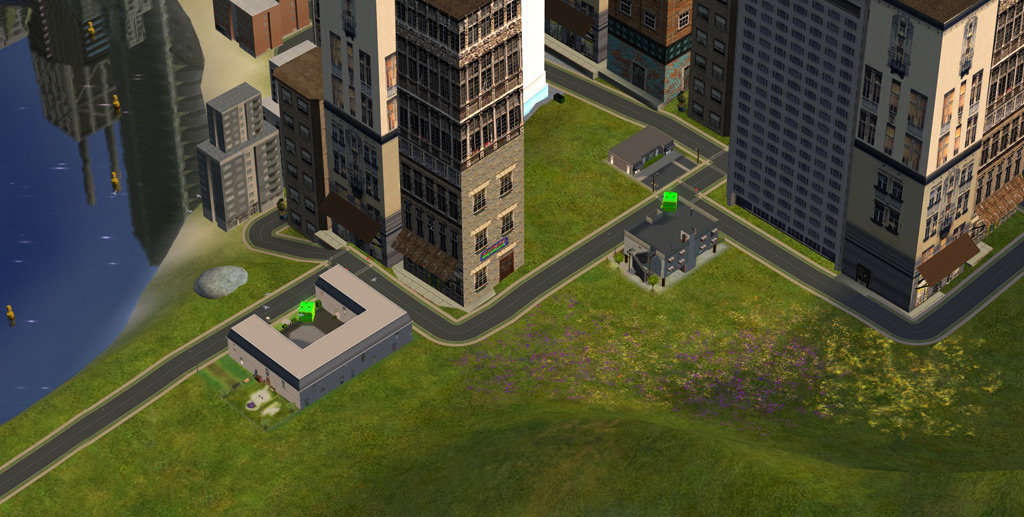
We’ll kick things off by setting the visual tone for SimCity with the skyline and sky. Then I’ll place the key community lots: City Center Lofts, Pleasantview Career Services made by Pleasant Sims (external link), and Boothbay Apartments from the Apartment Life expansion pack.
👨👩👧👦 The Four Founding Families
This neighborhood launches with four playable families, each with their own story and setup process:
- The Kim Family (Cynthia, Robert, Justin, Cheech, and Gabby)
- The Kat Family (Tara, Mickey, Samantha, and Faline)
- The Roseland Family (Cyd and Porthos)
- The Traveller Family (Trent, Trisha, and Tina)


🎯 Personal Setup Methods
A few things I do consistently when setting up families:
- University degrees get assigned based on family backstory (not random)
- Lifetime wants: I usually assign base-game wants to families from Pets or Bon Voyage expansions since those packs don’t add new ones
- Aspiration benefits: Adults get two need-based benefits and three aspiration-related benefits at start; kids get two need-based benefits
- I don’t add secondary aspirations during initial setup as I prefer to add those after major life events unfold naturally
📸 Photo Album & Neighborhood Lore
Once all families are placed, I’ll check and update the neighborhood photo album with lore descriptions.
Each family has their own lore description in the photo album, all of which are available on the site, if you want to dive deeper into their backstories.
💬 Join the Conversation
Question for chat: Do you have any favorite custom content for The Sims 2 neighborhoods? I’d love to hear what skyline mods, sky replacements, or lot creations you’ve been using! Drop your recommendations below! 👇
Also: Do you prefer setting up families with predetermined backstories like I do here, or do you create your own from scratch? What’s your approach to lifetime wants and aspiration benefits?
What would you like to see next? More neighborhood setup episodes, or should we jump into actual gameplay with these families? Let me know below!
🔄 Sharing this? Use #SimCitySetup so we can find your posts! Tag someone who needs to see how deep Sims 2 neighborhood customization can get. 😅
Know someone who loves Sims 2? Forward this to them, the more people watching together, the better the chat reactions during setup. 🏙️
📢 Share This Post
Know someone who’d enjoy this? Share it wherever your community hangs out:
🔓 Privacy-Friendly Platforms
→ 📱 Reddit
→ 📘 Tumblr
→ 📌 Pinterest
→ 📋 Copy link (for Discord, ModTheSims, forums, email)
🏢 Big Tech Platforms (if you already have accounts)
→ 📺 YouTube Community Post (if you have a channel)
→ 𝕏 Twitter/X
→ 👍 Facebook
→ 💼 LinkedIn
🔒 Note: I don’t maintain Big Tech accounts myself (privacy + algorithm fatigue), but if you already use these platforms, feel free to share there! Every platform helps the content reach more people. 🎯