Game: The Sims 2 (PC)
Covers: Base game 2004 + every expansion, including The Sims 2 Ultimate Collection
Let’s be honest, most of us have typed “motherlode” at least once. Cheat codes have been part of The Sims since the very first game, and The Sims 2 has one of the deepest cheat consoles Maxis ever shipped. Whether you want unlimited money, a house that builds itself at impossible angles, or a Sim who never ages, the game has a cheat for it.
This guide collects every known cheat code for The Sims 2 on PC, from the base game up through Apartment Life and Mansion & Garden Stuff, and explains what each one actually does. If you play The Sims 2 Ultimate Collection, everything listed here is in your game, because UC includes every expansion, every stuff pack, and every official patch in one bundle.
Big thanks to The Sims Wiki, which has maintained these lists for years. This guide was compiled and verified against their per-expansion cheat pages in September 2026.
How to Use Cheats in The Sims 2
1. Press Ctrl + Shift + C to open the cheat console (a thin light blue bar appears at the top of the screen)
2. Type the cheat and press Enter
3. Press Esc or type exit to close the console
Handy console commands while you’re at it:
- help – lists some available cheats
- help [cheatname] – shows syntax help for one specific cheat, like
help motherlode - expand (or the
`/~key) – grows or shrinks the console window - clear – wipes console text (does NOT turn off cheats you’ve enabled)
Good to know:
- Cheats are not usually case-sensitive.
- Tip for fast money: type
motherlode, then press Ctrl+C, Enter, Ctrl+V, Enter, and keep repeating. Copy-paste is the speed trick, no need to retype - Some cheats can be made permanent by putting them in a Userstartup.cheat file in your
Configfolder (one cheat per line).
If You Play the Ultimate Collection
The Sims 2 Ultimate Collection (the Origin giveaway version) is the complete engine: base game plus all eight expansions (University, Nightlife, Open for Business, Pets, Seasons, Bon Voyage, FreeTime, Apartment Life) plus all stuff packs, launched through the Mansion & Garden executable (Sims2EP9.exe). That means:
- Every cheat below works in UC without exception, including the ones marked with an expansion in parentheses
- UC also includes all patches, so a couple of historical quirks are gone.
Cheats marked with a pack name (like “Nightlife+”) need that expansion in the base game, but are automatically included in UC.
Money and Household Cheats
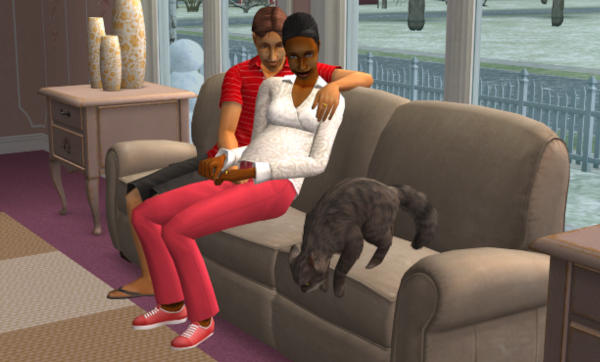
- kaching – adds §1,000 to the household funds
- motherlode – adds §50,000 to the household funds
- familyFunds [family lastname] [number] – sets the exact funds of a named household, usable from the neighborhood screen or in game. Add
+or-before the number to add or subtract instead. Example:familyFunds Goth +50000. If two households share a last name, only the one most recently added to the neighborhood is affected. According to The Sims Wiki, the maximum a household can hold is §9,999,999 - intProp maxNumOfVisitingSims [number] – raises the maximum number of Sims allowed on the lot, so bigger parties and busier community lots. The wiki warns that lots of visitors means more lag
- addneighbortoFamilycheat on/off (Open for Business+) – turns on an “Add to Family” interaction on non-controllable Sims, so you can adopt a townie or visitor into your household
Aging, Life State and Aspiration Cheats
- aging on/off – stops or restarts aging for everyone on the lot. Fun fact: EA included this cheat in the printed TS2 manual, page 27, under “The Aging Sim”
- ageSimsCheat on/off (Nightlife+) – when on, clicking any Sim gives a “Set Age” menu that lets you rewrite their age stage freely
- forceTwins (Open for Business+) – makes the selected pregnant Sim deliver twins. She must be selected before you type it
- StretchSkeleton [number] – changes the selected Sim’s height live. 1.0 is default, higher is taller, lower is shorter. Changes are not saved and reset when the lot reloads
- maxMotives (Nightlife+) – maxes the motive bars of every Sim on the lot, controlled or not. Does not fill a Servo’s Power or a PlantSim’s Sunlight need
- motiveDecay on/off (Nightlife+) – stops or restarts motive decay for everyone on the lot
- lockAspiration on/off (Nightlife+) – freezes aspiration gain and decay
- aspirationPoints [number] (Nightlife+) – gives the selected Sim a big chunk of aspiration reward points
- aspirationLevel [0-5] – sets the selected Sim’s aspiration level, 0 is failure and 5 is platinum
- unlockCareerRewards (Nightlife+) – unlocks all career reward objects in the catalog for the selected Sim
Pet Cheats (Pets and Up)
- boolProp controlPets on/off – lets you control pets just like Sims. Bonus: with both Pets and Apartment Life, this also lets you control roommates
- boolProp petActionCancel on/off – makes pet actions cancellable from the queue
- boolProp petsFreeWill on/off – toggles free will for pets
- boolProp disablePuppyKittenAging on/off – freezes aging for puppies and kittens (adult animals use the regular
agingcheat)
Build Mode Cheats
- moveObjects on/off – removes all placement restrictions in Buy and Build mode and frees the hand tool. Lets you delete things that normally can’t be deleted, including Sims (they reappear by the mailbox when the lot reloads), and even the mailbox and trash can (those only come back with custom content). The wiki warns this is known to cause issues with routing, hidden object generation, and general game weirdness, so use with care
- boolProp snapObjectsToGrid on/off – false lets you place objects off-grid. Some objects (doors, windows) refuse while it’s off
- boolProp allow45DegreeAngleOfRotation on/off (University+) – enables 45-degree object rotation with the
<and>keys. Objects may clip and Sims can walk through some diagonal items - boolProp constrainFloorElevation on/off – false lets you change terrain even under objects, walls, floors and foundations. The classic terrain-morphing trick
- boolProp lockTiles on/off – false lets you edit sidewalk tiles and place floor tiles at the lot edge
- boolProp lotTerrainPaints on/off – false hides terrain paints. Ctrl+click with the terrain paint tool removes them for real
- boolProp lotWater on/off – false removes the pond water on a lot (in ground pools are unaffected)
- roofSlopeAngle [15-75] (Nightlife+) – adjusts the angle of ALL roofs on the lot, 15 to 75 degrees
- IndividualRoofSlopeAngle [15-75] (Pets+) – adjusts roof pitch per section. Type the number, then Ctrl+Alt+click each roof piece. The wiki notes this cheat was broken until the Pets patch (changes refused to save)
- setHighestAllowedLevel [number] (University+) – raises the buildable floor limit. Do not go past 16 floors or the game crashes. The wiki says this one works sporadically in later expansions, the “dormer trick” is the reliable route for extra levels
- boolProp dormSpecificToolsDisabled on/off (University+) – false enables build/buy tools on dorm lots. Also unlocks community lot editing, but community changes don’t save
- boolProp apartmentBuildBuyRestrictions on/off (Apartment Life) – lifts apartment build/buy restrictions
- boolProp aptSubLotSpecificToolsDisabled on/off (Apartment Life) – false lets you move, pick up and delete objects outside the currently rented apartment
- boolProp aptBaseLotSpecificToolsDisabled on/off (Apartment Life) – false enables build mode on empty (unrented) apartment lots
- setQuarterTilePlacement on/off (Mansion & Garden Stuff) – allows quarter-tile object placement, activate with Ctrl+F
- CTRL + ALT while placing a wall object (Apartment Life) – not a typed cheat. Holding Ctrl+Alt while placing removes wall placement rules, letting you stack wall objects on occupied walls
Batch cleanups (Pets and up, build mode only):
- deleteAllFences – deletes all fences on the lot
- deleteAllWalls – deletes all walls on the lot
- deleteAllHalfWalls – deletes all half walls on the lot
- deleteAllAwnings – deletes all awnings on the lot
- deleteAllObjects doors/windows/stairs – deletes every door (or window, or stair) on the lot

Neighborhood Cheats
- changeLotZoning [type] – rezones the selected lot. Available values grow with each pack:
residentialandcommunity(base),greekanddorm(University), plussecretsociety(Nightlife-era),apartmentbase(Apartment Life) andhotel/secretvacationlot/secrethobbylot(Bon Voyage/FreeTime era). The lot must be empty of residents. The wiki warns secret zonings must be applied the proper way or they can corrupt the game, and never rezone a beach lot to apartmentbase - familyFunds – also works from the neighborhood view (Nightlife+)
- terrainType [desert/dirt/temperate/concrete] (Nightlife+) – repaints the entire neighborhood’s ground style
- changeNeighborhoodType [primary/university/downtown/suburb/asia/mountains/tropics] – rewrites a subhood’s type. Requires the game to be started in debug mode (see testing cheats below). Value list grows: University added university, Nightlife added downtown, Open for Business added suburb, Bon Voyage-era added asia/mountains/tropics
- modifyNeighborhoodTerrain on/off (FreeTime+) – neighborhood terraforming. Click or click-drag an area, press
[or]to lower or raise,\to level,Pto smooth, then type the cheat again to finish - printLotClass (Apartment Life) – prints the selected lot’s class (low/middle/high), which affects which social-class townies move into apartments
- changeLotClassification [low/middle/high] (Apartment Life) – overrides the selected lot’s classification
- clearLotClassValue (Apartment Life) – clears the classification override
- loadLot [lotname] [familyname (optional)] – loads any lot directly, optionally moving in a named family. The intended route to hidden secret lots. Requires debug mode
- deleteAllCharacters – deletes EVERY Sim in the neighborhood’s character files, townies and NPCs included (universal NPCs survive). This is the neighborhood-reset nuke. Use only if you actually want that
The Big One: Testing Cheats
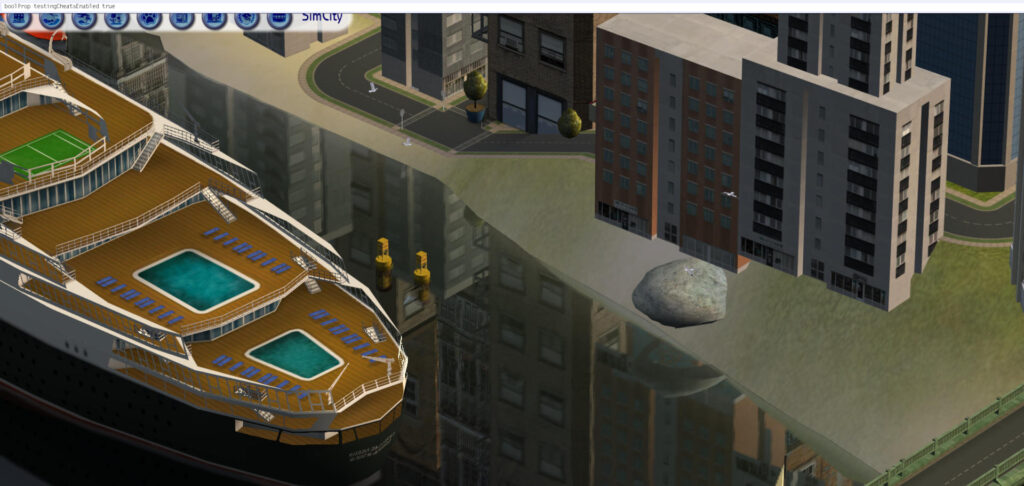
- boolProp testingCheatsEnabled true – the master key. With it on, hold Shift and click on Sims, objects, the mailbox, or open ground for a huge debug menu. Shift+click a Sim offers things like Make Selectable (control NPCs), Spawn (debug objects, see below), Force Error (reset or delete), and more. Shift+click the mailbox to summon townies and NPCs
Once it’s on, you can also:
- Hold Shift+click a Sim to change motives and skills by dragging, once you’ve entered a lot with the cheat enabled
- Ctrl+click a want or fear icon to force that want (makes it instantly fulfilled)
- In Create-a-Sim, press Shift+N to enter debug CAS (unlocks NPC outfits and hidden clothing). Shift+M returns to normal
- Use the “Rent Furnished” interaction on apartment doors (Apartment Life)
A fair warning from the wiki: the testing cheat itself doesn’t corrupt anything, but misuse of what it unlocks can. Killing or playing certain NPCs (Grim Reaper, Mrs. Crumplebottom and friends) is the classic road to a broken neighborhood. Handle with the same care as any big power tool.
Spawnable Debug Objects (via Shift+click Spawn menu)
Once testing cheats are on, Shift+clicking offers a Spawn submenu with powerful debug objects:
- Tombstone of Life and Death – age anyone up or down, kill with flies or old age, impregnate a Sim with anyone present (including the Grim Reaper or the Sim themselves, and alien pregnancies are possible), add any Sim to the household, make everyone friendly, and spawn a random Sim
- Sim Modder (Nightlife+) – baby-shaped all-rounder: age, motives, skills, personality, relationships, aspiration, influence, want locks, career rewards, and more
- Rodney’s Death Creator – tombstone that kills the selected Sim with a cause of your choice (fire, fright, electrocution, old age and others). Only deaths that need no special object. Grim Reaper pleading still applies
- Tom’s Clothing Tester – clothing rack that shows career uniforms, NPC outfits and more. Careful: selecting a career outfit changes the Sim’s career level
- NPC and Townie Maker (FreeTime+) – the safer option for outfit testing: generates townies and NPCs, replaces NPCs, and edits appearances without the career side effect
- Badge Juicer – tweaks Open for Business badge talents
- I Am Dead Token – lets dead Sims be moved or controlled, used for playable-ghost storytelling
Storytelling and Moviemaking Cheats
- slowMotion [0-8] – global slow motion, 0 is normal speed and 8 is the slowest
- boolProp enablePostProcessing on/off – unlocks the four movie cheats below. Needs a pixel-shader capable GPU, otherwise the screen can go dark
- bloom [r g b x] – adds a cinematic blur/glow (the sitcom flashback look)
- vignette [centerX centerY x] – blurs the edges of the screen,
vignette 0.5 0.5 0.5is the standard - filmGrain [0.0-1.0] – film grain overlay
- letterBox [0.0-0.4] – cinematic black bars
- showHeadlines on/off (Nightlife+) – hides thought and speech bubbles and relationship popups, for clean screenshots
- plumbbobToggle on/off (Open for Business+) – hides the green plumbbob
Graphics and Performance Cheats
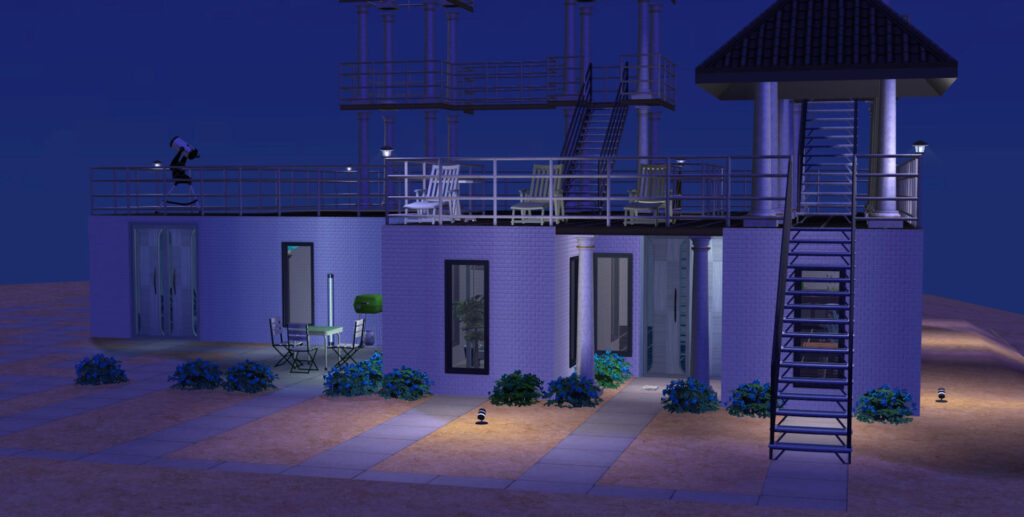
- vsync on/off – off might improve frame rate but can glitch the display
- boolProp useShaders on/off – master switch for graphical shaders
- boolProp bumpMapping on/off – bump map detail on walls, floors and clothing
- boolProp reflectionWithExtraViewer on/off – mirror reflections, off improves performance
- boolProp allObjectLightsOn on/off – forces all objects lit continuously
- boolProp simpleTerrain on/off – simpler neighborhood terrain textures, faster
- boolProp lotTerrainLighting on/off – lots light up under the cursor in neighborhood view
- boolProp objectShadows on/off – outdoor object shadows
- boolProp guob on/off – indoor object shadows
- boolProp simShadows on/off – Sim shadows
- floatprop particleDensity [0-10] – density of see-through effects: stink clouds, steam, glow, rain. The game accepts higher, but nothing changes past 10
- boolProp displayNeighborhoodRoadsWithModel on/off – neighborhood bridges
- boolProp displayLotImposters on/off – the lot buildings shown in neighborhood view
- boolProp displayNeighborhoodWater on/off – neighborhood water
- boolProp displayNeighborhoodFlora on/off – neighborhood trees and plants
- boolProp displayNeighborhoodRoads on/off – neighborhood roads
- boolProp displayNeighborhoodProps on/off – neighborhood props and decorations
- boolProp nhoodWaterReflection on/off – water reflections in neighborhood view
- boolProp CameraDriftCamEnabled on/off – idle camera drift
- boolProp carsCompact on/off – lower detail cars in the neighborhood
- boolProp carsOnRight on/off – false makes neighborhood traffic drive on the left (lots are unaffected)
- boolProp ShowLotPackageFilename on/off – shows lot filenames on hover, handy for hunting down a specific lot file
- boolProp renderSelectedSimLevel on/off – true keeps walls cutaway from hiding the selected Sim’s level
- boolProp renderInsideObjectOnlyOnSelectedSimLevel on/off – renders only objects on the selected Sim’s floor, a performance option
- boolProp displayPaths on/off – shows or hides the visible routing paths when a Sim walks
- boolProp displayLookAtBoxes on/off – shows where Sims are looking (debug)
- floatProp tvVolume [0.0-1.0] (University+) – sets TV sound volume
Miscellaneous and Utility Cheats
- boolProp ShowCatalogePFlags on/off – shows which expansion or stuff pack each catalog object is from
- setHour [0-23] (Open for Business+) – jumps the lot clock to the hour you pick
- setLotLightingFile [filename] (Nightlife+) – applies a custom lighting profile to a lot, one for the lighting mod creators
- bugJarTimeDecay on/off (Seasons) – fireflies and butterflies caught in jars live forever, making pretty ambient lighting
- faceBlendLimits on/off – off removes the genetic face-blending limits, letting unusual parent combinations make odd (or interesting) faces in CAS
One for the history books:
- intProp censorgridsize [number] – resized or removed the nude blur mosaic (0 = gone). Works only before installing the University patch, so it does nothing in a fully patched game such as the Ultimate Collection. Post-patch blur removal needs a mod instead
- autoPatch -on/off – re-enabled TheSims2.com update notifications back when the site existed. The wiki lists it as historical only: don’t use it, the Custom Content Browser it connected to points at a dead service
Cheat Safety Notes
A few of these can genuinely damage a neighborhood, so the honest summary:
- moveObjects deleting a mailbox or trash can means they’re gone for good without custom content
- deleteAllObjects deletes every door (or window, or stair) at once, there’s no undo
- deleteAllCharacters is a full neighborhood wipe, townies included
- Adding certain NPCs to a household (Grim Reaper, Mrs. Crumplebottom, Santa Klaus and co.) is the community’s well-known path to neighborhood corruption. The Tombstone and Add to Family interactions can do it, that doesn’t mean you should
- maxNumOfVisitingSims at high values will make your lot crawl
Sources
The full list was compiled and cross-checked against The Sims Wiki’s per-expansion cheat pages:
- The Sims 2 cheats (base game)
- Testing cheats
- List of neighborhood cheats
- List of build cheats
- List of gameplay cheats
- List of miscellaneous cheats
- Ultimate Collection details
All retrieved and verified September 2026.
Related Content:
What’s your go-to Sims 2 cheat? Do you run testing cheats on permanently, or are you a purist who only uses motherlode when the bills get scary? Drop a comment below! And if you want more Sims 2 content without an algorithm deciding what you see, subscribe via RSS, it’s private, it’s free and it just works.
Tags: Sims 2, The Sims 2, cheat codes, cheats, motherlode, kaching, testingCheatsEnabled, Ultimate Collection, Sims 2 cheats, Sims 2 Ultimate Collection, PC gaming, gaming guide, KatWizar